
Transparent Taskbar+ Lite
The most advanced personalization engine for your Windows Taskbar.
 Download for free from Microsoft Store
The most advanced personalization engine for your Windows Taskbar.
Download for free from Microsoft Store
Tired of the static, grey taskbar? Transparent Taskbar+ Lite brings professional aesthetic tools to your Windows desktop. Whether you want a minimalist transparent look or a vibrant animated gradient, our engine delivers it with zero impact on system stability.

Apply transparency, blur, or "glass" finishes to your taskbar. Add custom lines or double-gradient paints for a truly bespoke look.
Group your icons into logical sections and paint the background like a modern dock. Supports glossy button effects and custom colorization.
Features a classic native UI and a high-performance Web Interface for ultra-smooth configuration and low resource usage.
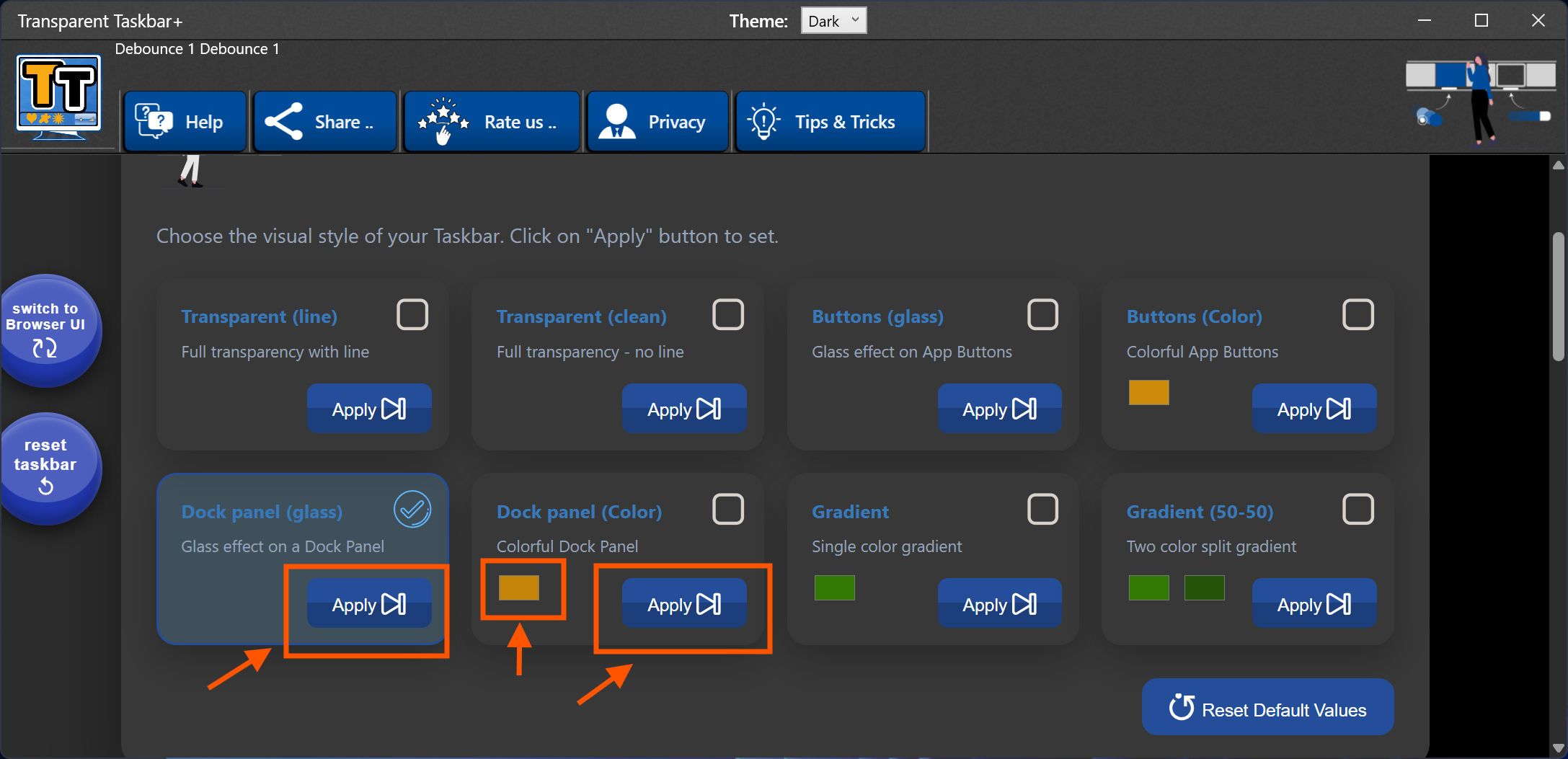
Compare our advanced features against standard taskbar tools. We offer more control with less system impact.
Unlike other customization tools, we prioritize performance and safety. By utilizing a web-based interface for heavy configuration tasks, we ensure your CPU stays focused on what matters while your desktop looks incredible.
| Feature | Standard Apps | Our Suite |
|---|---|---|
| Registry Changes | Often Required | Zero / None |
| Double Gradients | ❌ No | ✅ Yes |
| Glossy Glass Icons | ❌ No | ✅ Yes |
| Web Interface Mode | ❌ No | ✅ High Performance |
| Multi-Monitor Sync | Limited | ✅ Full Support |
Take total command of your workspace aesthetics with the most advanced Windows taskbar customizer available on the Microsoft Store. Designed for enthusiasts who demand beauty without compromising system stability, our application redefines how you interact with your desktop.
Our core philosophy is "System Integrity First." While other tools dig into deep system files or modify the Windows Registry, our app operates as a lean, portable-friendly layer. This means you can achieve a fully transparent taskbar, apply vibrant double-gradient paint, or create a modern centered dock with the peace of mind that your OS remains untouched and secure.
For the first time, you can apply a Glossy Glass effect to your individual app icons, giving them a premium "floating" look. Want to stay organized? Our Icon Grouping feature allows you to cluster your favorite apps into sleek, glass-backed docks, separating your work tools from your gaming shortcuts effortlessly.
Innovation doesn't stop at visuals. We’ve introduced a Dual-UI Architecture:
Experience Interactive Video Effects that transform your taskbar into a living element of your desktop. Watch as subtle glows and motion effects follow your mouse cursor across the screen—all while maintaining perfect compatibility across multiple monitors. Whether you prefer the clean lines of Light Mode or the immersive depth of Dark Mode, this suite adapts to your lifestyle.
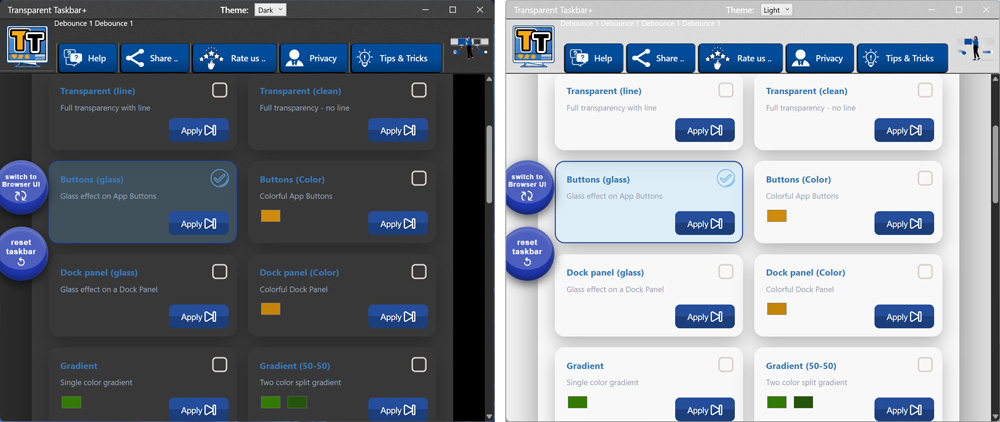
Download and install Transparent Taskbar+ Lite from the Microsoft Store. The application will run in the background automatically.
Click the Transparent Taskbar+ icon in the Windows taskbar system tray (Action Center). The action menu appears:
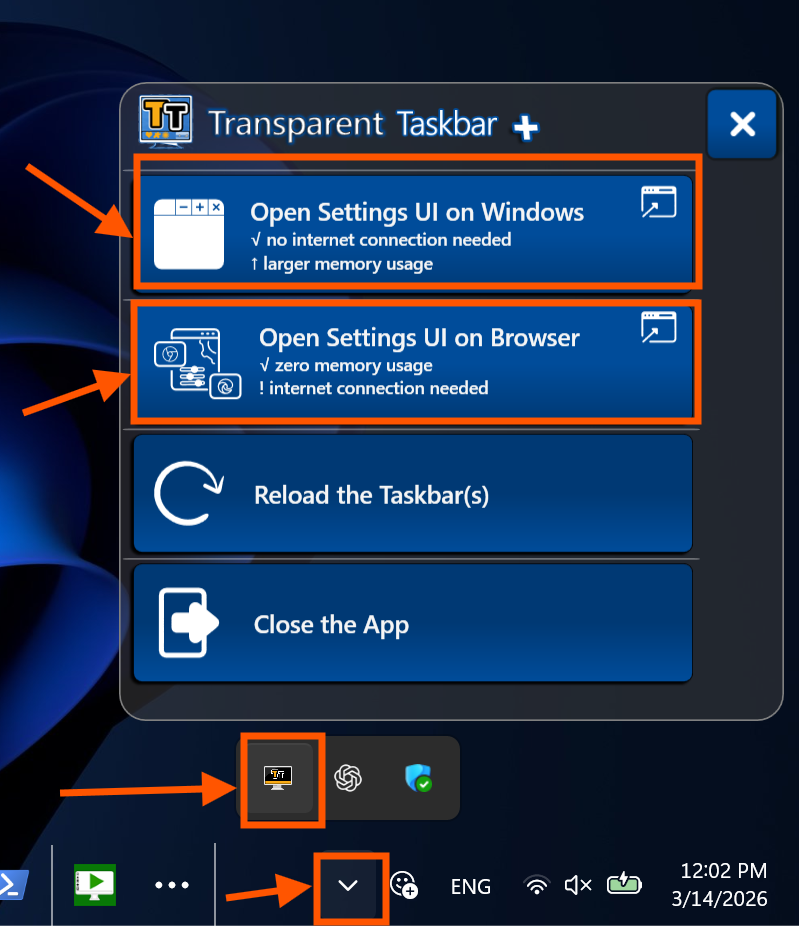
Choose either:
You can easily switch and and select your preferred theme (dark or light) from the User Interface.
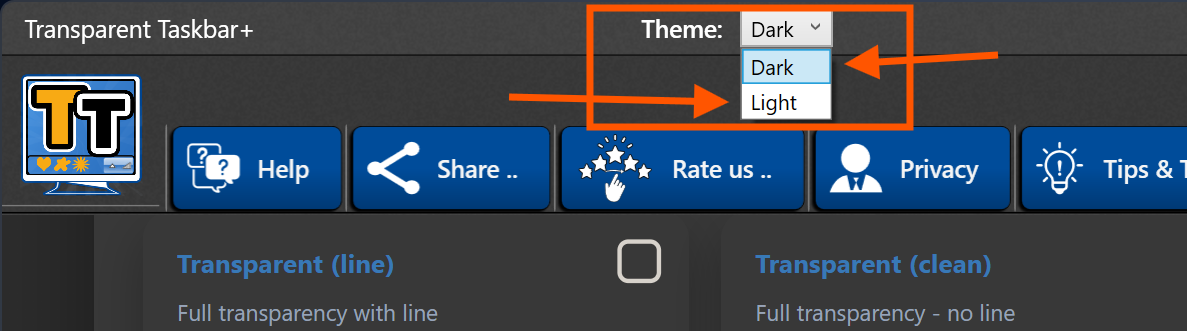
The app supports two different themes: Dark and Light:
Your Windows taskbar is now transparent or stylized, running in the background while you continue using your system normally.
If you apply the "Button Glass" style, your Windows taskbar is now full transparent but every app icon has a dynamic glass layer below the icon.
Transparent Taskbar+ Lite is a lightweight alternative to TranslucentTB. Unlike TranslucentTB, it offers both a browser interface for minimal memory usage and a Windows interface for offline configuration. Ideal for users who want flexibility and simplicity.
It is completely free, without hidden features or time limitation.
No. Transparent Taskbar+ Lite runs in the background and uses minimal system resources.
Yes. The browser interface requires an internet connection.
Yes. Open the system tray menu and select Exit to stop the application completely.
Get Transparent Taskbar+ Lite and start customizing your Windows taskbar today: