
Make Your Windows Taskbar Transparent
Transparent Taskbar+ Lite is a lightweight Windows utility that lets you customize your taskbar appearance. The app runs in the background and allows you to choose between a browser interface or classic Windows interface for configuration. Apply dark or light themes and enjoy a clean, modern desktop.
Features
- Make Windows taskbar transparent
- Runs quietly in the background
- Browser UI: lightweight, minimal memory usage
- Windows UI: works offline, classic interface
- Supports dark and light themes
- Quick access via Windows system tray
- Over 10 different styles, macOS-style dock, glass buttons, etc
- Amazing video effects when mouse is over the taskbar
- Multi-Screen support, following user choise in Windows Settings
- No Windows Registry tweaks or changes (!).
How to Use Transparent Taskbar+ Lite
Step 1: Install the App
Download and install Transparent Taskbar+ Lite from the Microsoft Store. The application will run in the background automatically.
Step 2: Open the Settings Interface
Click the Transparent Taskbar+ icon in the Windows taskbar system tray (Action Center). The action menu appears:
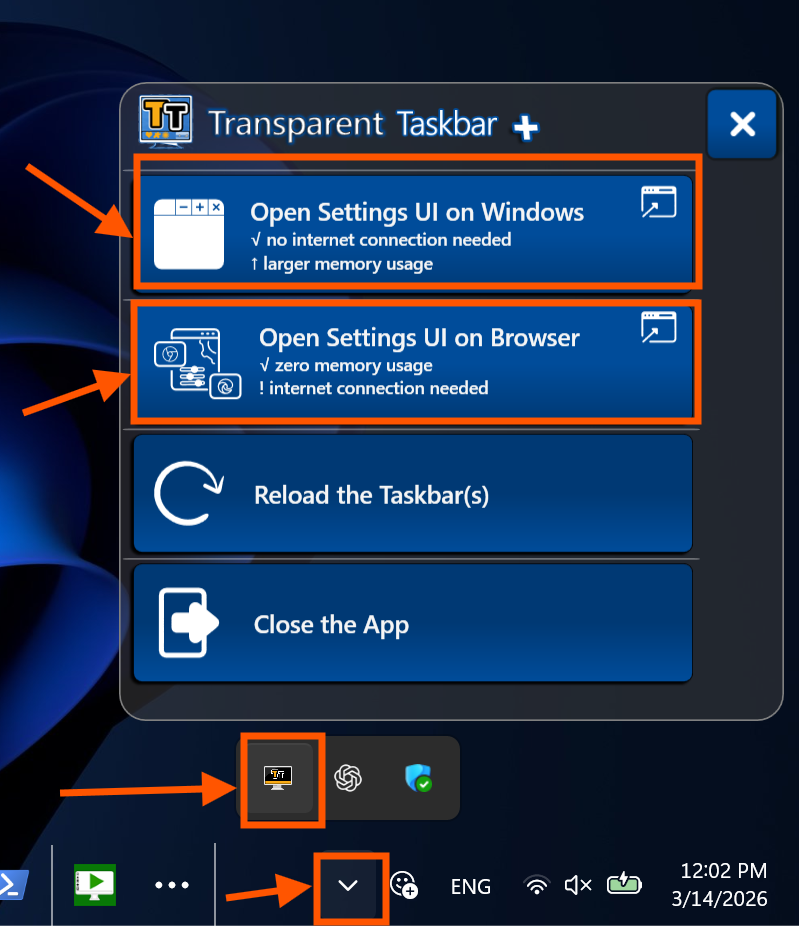
Choose either:
- Browser UI: opens in your web browser, uses less memory, requires internet connection.
- Windows UI: classic desktop window, works offline, slightly higher memory usage.
Step 3: Customize App Appearance
Transparent Taskbar+ Lite supports two themes:
- Light Theme
- Dark Theme
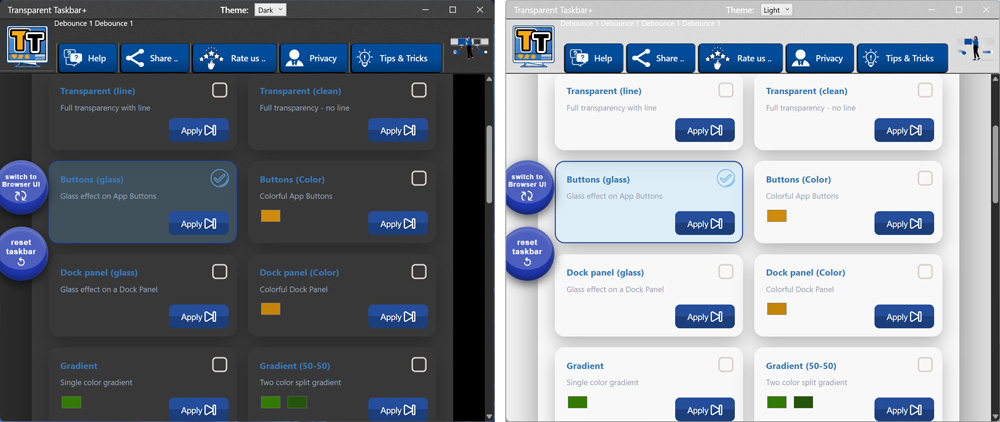
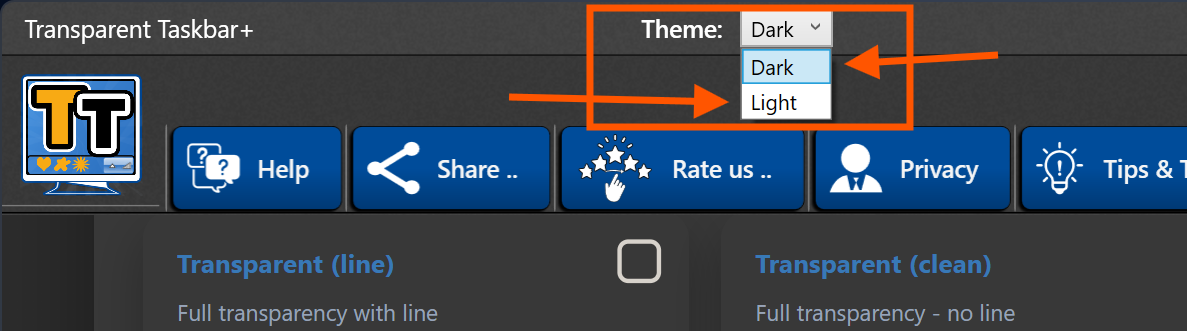
You can easily switch and and select your preferred theme (dark or light) from the User Interface.
Step 4: Apply and Enjoy
You are able to customize the appearance of your Windows taskbar with 8 different styles:
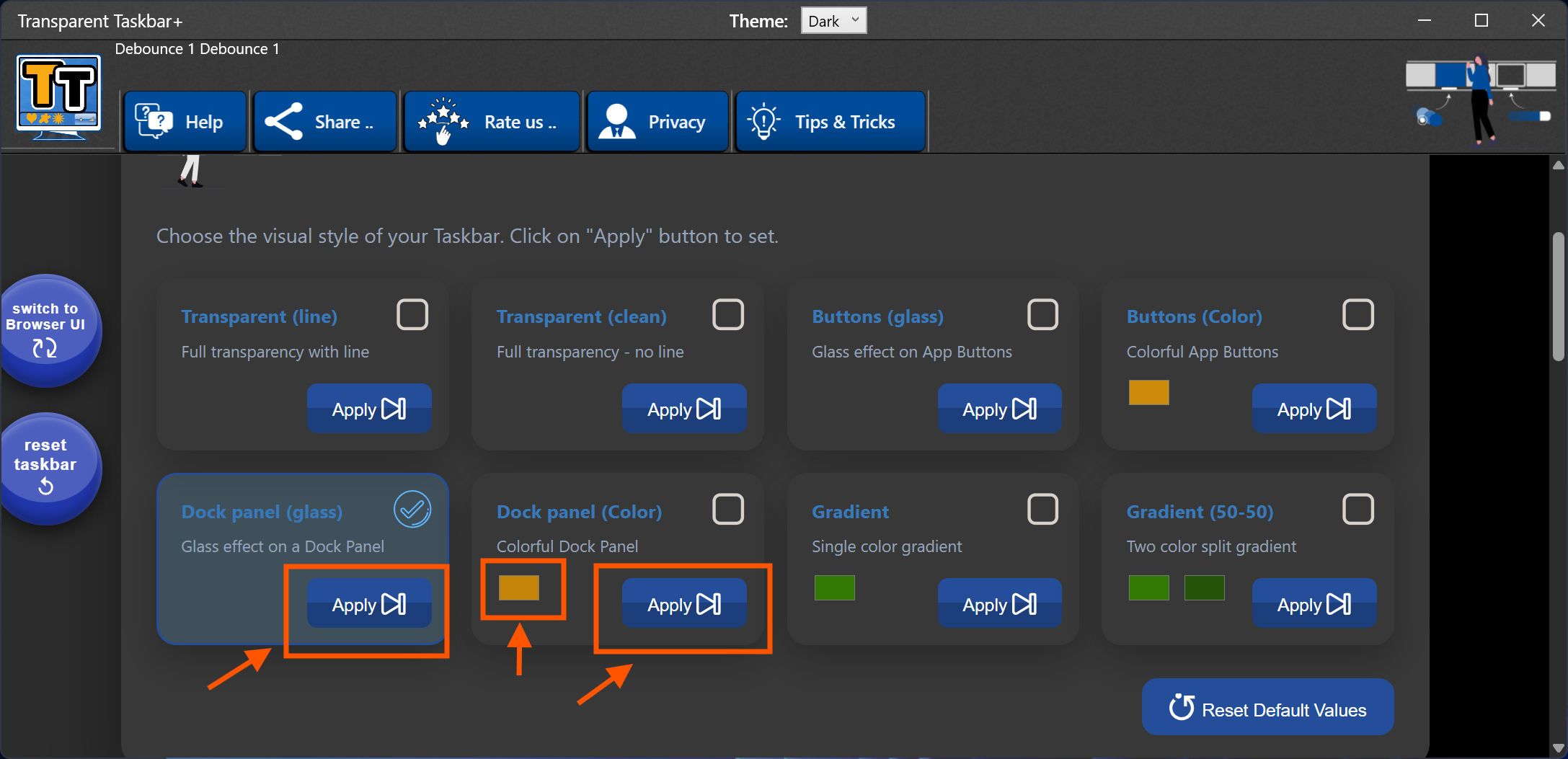
When you select a style, don't forget to hit the Apply button and the style will be immediatelly applied to all your taskbars.
Your Windows taskbar is now transparent or stylized, running in the background while you continue using your system normally.
When you want to change the color of a style (where applicable) click on the color, choose the color you want and hit Apply again.
For example, if you apply the "Button Glass" style, your Windows taskbar is now full transparent but every app icon has a dynamic glass layer below the icon.

Frequently Asked Questions
Does the app slow down Windows?
No. Transparent Taskbar+ Lite runs in the background and uses minimal system resources.
Do I need internet for the browser interface?
Yes. The browser interface requires an internet connection.
Can I exit the app?
Yes. Open the system tray menu and select Exit to stop the application completely.
Download Transparent Taskbar+ Lite
Get Transparent Taskbar+ Lite and start customizing your Windows taskbar today: