🧠 Real AI — SadTalker + GFPGAN, running 100% on your PC

Turn any photo into an AI talking avatar

Not a simple filter — ImTalking uses the same class of AI models behind cloud avatar tools, except every model runs locally. Your script, your photo, your video: none of it ever leaves your PC.

Get ImTalking free from the Microsoft Store See how it works →
SadTalker + GFPGAN
Real AI models
320+
Natural voices
100% Local
Nothing uploaded
Free
No watermark, no subscription
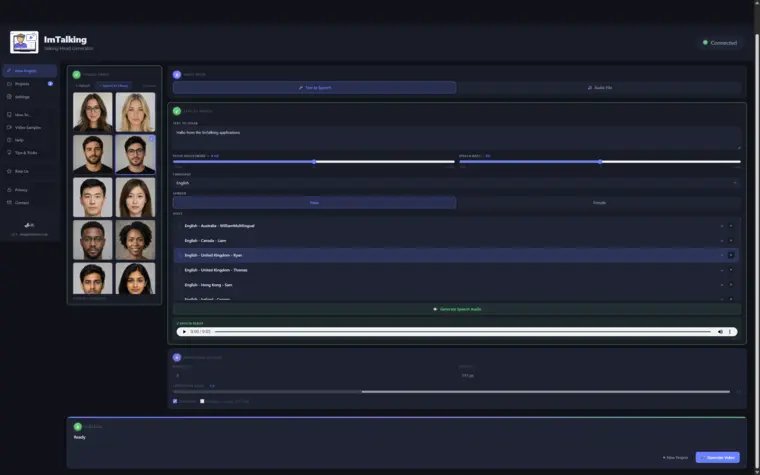
Source ImagePhoto imported and ready
VoiceXiaoxiao (Chinese) selected and previewed
5
GenerateReady — rendering happens on your PC
The Technology

This isn't a simple video filter

ImTalking is built on two real, named AI models — the same class of technology powering cloud-based AI avatar tools.

Facial Animation AI

SadTalker

An AI model trained to map speech onto realistic facial movement — lip sync, expression, and natural head motion generated frame by frame from your audio.

Face Restoration AI

GFPGAN

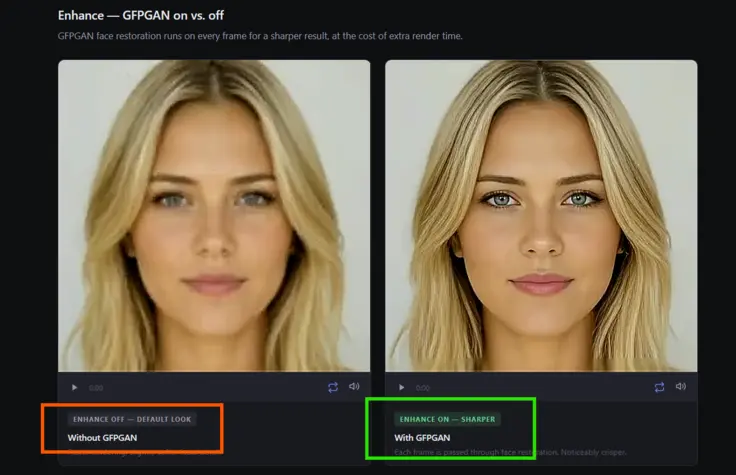
An optional AI enhancement pass that sharpens and cleans up the final frame, restoring detail that the animation process can soften.

Built for professionals

Your ideas never leave your PC

Every AI model ImTalking uses runs entirely on your own machine — there's no cloud rendering step where your content passes through someone else's server.

For professionals working with confidential scripts, client material, or unreleased ideas, that's not a nice-to-have privacy checkbox — it's the actual reason to choose a local AI tool over a cloud one.

1
Hit GenerateA few seconds of setup — pick a photo, a voice, and go.
2
Keep workingSwitch back to email, a spreadsheet, anything — rendering happens in the background on your own PC.
3
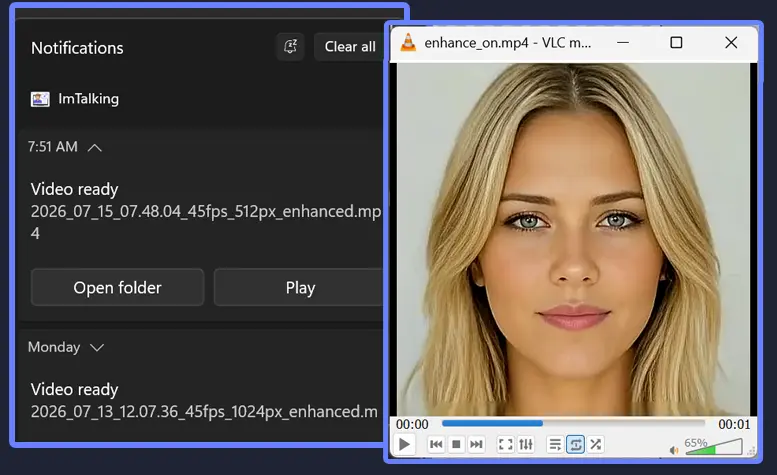
It pops upA native Windows notification tells you the moment it's ready.
🔔 Your video is ready

Features

Everything you need, nothing locked behind a paywall

ImTalking ships complete. There's no premium tier hiding the features that actually matter.

Runs entirely on your PC

Photos, audio, and finished videos are stored and processed locally — nothing is uploaded to a server.

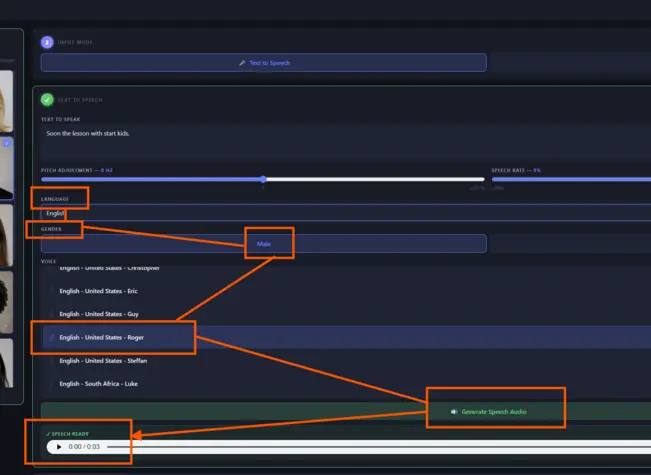
320+ natural voices

Browse by language and gender, and preview any voice before you commit to a full render.

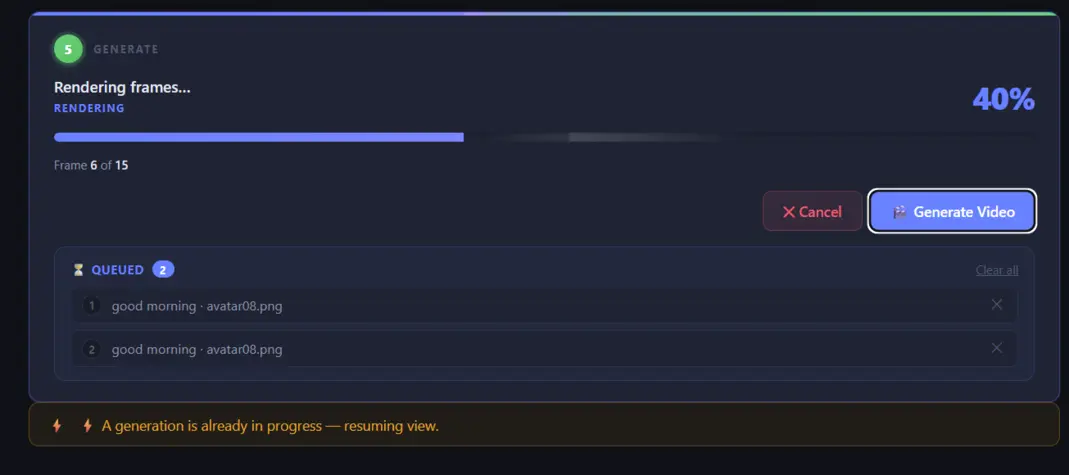
Batch processing

Queue several videos back-to-back and let them render one after another without babysitting the app.

Background rendering + notifications

Keep working while ImTalking renders, and get a native Windows notification the moment each video is ready.

GFPGAN face enhancement

Optional face-restoration pass for a sharper final frame, whenever quality matters more than speed.

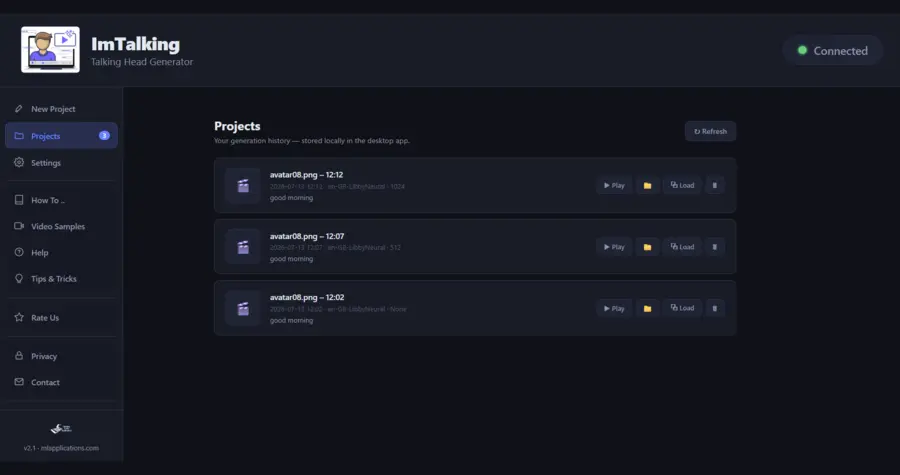
Projects library

Every generation is saved with the settings used to create it, so past work is easy to find and reuse.

See it in action

Screenshots

A closer look at the workflow — from picking a voice to watching a batch render.

The guided step-by-step workflow
Browsing 320+ voices with instant preview
GFPGAN enhancement, before and after
Batch queue rendering multiple videos
A native Windows completion notification
Your Projects library
FAQ

Common questions

Is ImTalking really free?
Yes. Every feature is available with no subscription, no per-video charges, and no watermark on your videos.
Does ImTalking send my photos or videos anywhere?
No. Photos, generated audio, and finished videos are stored and processed locally on your PC and are never uploaded anywhere. See the full Privacy Policy for details.
Is my typed text ever sent anywhere?
Only when you use Text-to-Speech mode: the text you type is sent to Microsoft's Edge TTS service to generate the audio. Audio File mode avoids this entirely, since you supply your own recording.
How many voices are available?
320+ neural voices across dozens of languages, each previewable before you generate a video.
What is GFPGAN / Enhance?
An optional face-restoration pass that sharpens the final video, at the cost of extra render time.
Can I generate more than one video at a time?
Yes — queue several videos and ImTalking renders them one after another in the background, with a Windows notification when each one finishes.

Ready to try it?

Free to install. Free to use. No account required.

Get ImTalking free from the Microsoft Store